





Easy to Follow Step-by-step Key fob remote Programming Instructions
1996 Cadillac Deville
We strive to provide convenience to our customers with free keyless entry remote fob programming instructions for every single vehicle that we sell on NorthCoast Keyless.
Many people don’t know that they can purchase their own replacement vehicle entry remote, save up to 70% off of marked up Dealership prices, and program the replacement remote to their vehicle themselves. We know how good it feels to save money and do something yourself; and we aim to make it as painless as possible for you!
Free Key Fob Remote Programming Instructions for a 1996 Cadillac Deville
Time needed: 5 minutes.

KEY FOB REMOTE - WITH ANALOG INSTRUMENT CLUSTERStep-By-Step How To Programming Instructions
- Enter Programming Mode – Step 1
PRESS the OFF and WARM buttons on the Climate Control Panel (CCP) simultaneously. The Instrument Panel Cluster (IPC) will light all telltales, then go blank to signal that the system is now in Diagnostic Mode.
PRESS the PASSENGER COOLER button until “RFA” is displayed, then PRESS the FAN UP button.
If “RFA DATA” is displayed, PRESS the FAN DOWN button. If “RFA OVERRIDE” is displayed, PRESS the FAN UP button. - Enter Programming Mode – Step 2
If “RFA 500 NO OVERRIDE” is displayed, PRESS the FAN DOWN button. If “RFA 501 PROGRAM FOB #1” is displayed, PRESS the FAN UP button.
- Enter Programming Mode – Step 3
The IPC will show “0” on the right side of the Driver Information Center (DIC) display.
PRESS the WARMER button on the Climate Control Unit until “99” is displayed. - Program Remote
PRESS and HOLD the TRUNK button on transmitter.
WHILE holding the TRUNK button, PRESS the LOCK button and HOLD for 1 second.
HOLD BOTH buttons for a total of 3 seconds.
Locks will cycle LOCK / UNLOCK to signal successful programming of the remote. - Program Additional Remotes
PRESS the FAN DOWN button until “RFA 502 PROGRAM FOB #2” is displayed, then press FAN UP. Repeat Step 4.
- Exit Programming Mode
To EXIT Programming Mode, PRESS AUTO, MODE UP, MODE DOWN, or RESET.
- Test Remotes
TEST all remotes. Programming is complete.
- Share
If these programming instructions helped save you time and money, please consider sharing our website with friends and family so they can do the same.
Time needed: 5 minutes.
KEY FOB REMOTE - WITH DIGITAL INSTRUMENT CLUSTERStep-By-Step How To Programming Instructions
- Enter Programming Mode – Step 1
PRESS the OFF and WARM buttons on the Climate Control Center (CCC) simultaneously. Instrument Panel Cluster (IPC) will light all telltales, go blank then enter Diagnostic Mode.
PRESS the FAN DOWN button to scroll through the system until “RFA” is displayed, then PRESS the FAN UP button.
PRESS the FAN DOWN button until “RFA OVERRIDE” is displayed, then PRESS the FAN UP button.
When “NO OVRD RF 500” is displayed, PRESS the FAN UP button. - Enter Programming Mode – Step 2
When “PGM FOBL 501” is displayed, PRESS the WARM button and “99” will be displayed in the left upper corner of the IPC just below the odometer. System is now ready to program the first remote.
- Program Remote
PRESS and HOLD the TRUNK button on the first remote to be programmed.
While holding the TRUNK button, PRESS the LOCK button and HOLD for 1 second.
HOLD BOTH buttons for a total of 3 seconds. Locks will cycle LOCK / UNLOCK to signal successful programming of the remote. - Program Additional Remotes
PRESS the FAN UP button until “PGM FOB2 502” is displayed, then REPEAT Step 3.
- Exit Programming Mode
To EXIT Programming Mode, press RECIRC or RESET buttons.
- Test Remotes
TEST all remotes. Programming is complete.
- Share
If these programming instructions helped save you time and money, please consider sharing our website with friends and family so they can do the same.
Programming Notes:
- Verify the following prior to following these instructions:
- Your vehicle is equipped with keyless entry, and
- You have a key fob remote that is compatible with your vehicle.
- Obtain all remote transmitters for this vehicle. This procedure will erase all previously programmed remotes. You must program all existing and new remotes that you wish to use on the vehicle at this time.
- You may clear your keyless entry system memory by entering programming mode as shown in the steps above.
If you have any difficulties with programming your vehicles, contact us at [email protected].
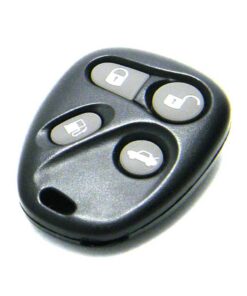
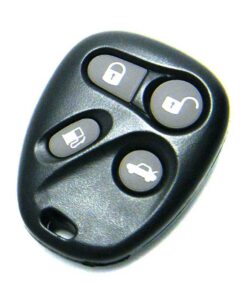
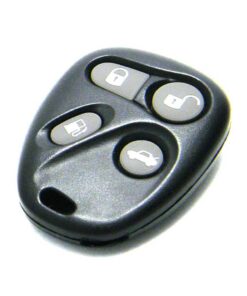
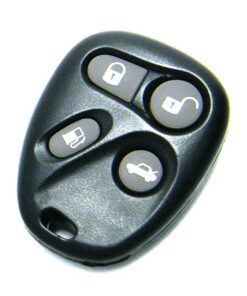
Key fob remotes
1996 Cadillac Deville

MONEY BACK GUARANTEE
We offer a No Questions Asked Money Back Guarantee on all of our products!If you can’t get it to work for your vehicle–reach out!We’ll get you your money back.

FAST & FREE SHIPPING
ALWAYS! First Class USPS shipping is always shipped for free for all Domestic (US) customers in less than ONE business day. No ifs, ands, or buts!

CUSTOMER SUPPORT
Have a question for us? Reach out! We're here for you. We will work with you to solve your issue rather than just having you return an item without a solution like some of the big box online stores do.

SAVE 70% OVER DEALERSHIPS
We’ve worked hard to create a network of reliable and reasonably priced suppliers that allow us to give you rock bottom prices.You're also not paying for huge fancy offices or sports cars for our Owners. We always will be just regular people tryin’ to make a livin’ not a killin’!
NorthCoast Keyless Free Programming Instructions Disclaimer:
- We worked hard to provide these instructions to our customers. We checked multiple sources to ensure that this information is complete and accurate. However, please understand that we cannot be held liable for any loss due to incorrect use of the programming instructions from www.northcoastkeyless.com.
- If you cannot program your remote with the instructions that we provide or encounter any discrepancies, please contact us at [email protected] and we’ll make sure that you’re taken care of.